Niagara Launcher replaced Nova with seven icons. Nine months later it is still here.
An Android launcher that shows almost nothing, picked to spend less pointless time on the phone. What it does well, what I still miss, and who should keep a full home screen.
9months
of daily use, still going
- Price
- Free, Pro $24.99 a year or $74.99 once, adjusted by country, as of September 2026
- Runs on
- Android
- Replaces
- Nova Launcher
- Alternative
- The launcher your phone came with, free
- Website
- niagaralauncher.com
 (opens in a new tab)
The problem
I have always wanted to spend less pointless time on my phone. At the start of 2026 I replaced Nova Launcher, my home screen until then, with Niagara.
I ran Niagara on the free version for about three weeks and bought Pro on 23 January 2026. Counted from the first day of the trial, that is nine months. I pay €12.99 a year, and the subscription renews at that price in January 2027. New subscribers see other numbers: the website lists $24.99 a year or $74.99 once, and Niagara adjusts its prices by country, so what you pay depends on where you are.
What it does
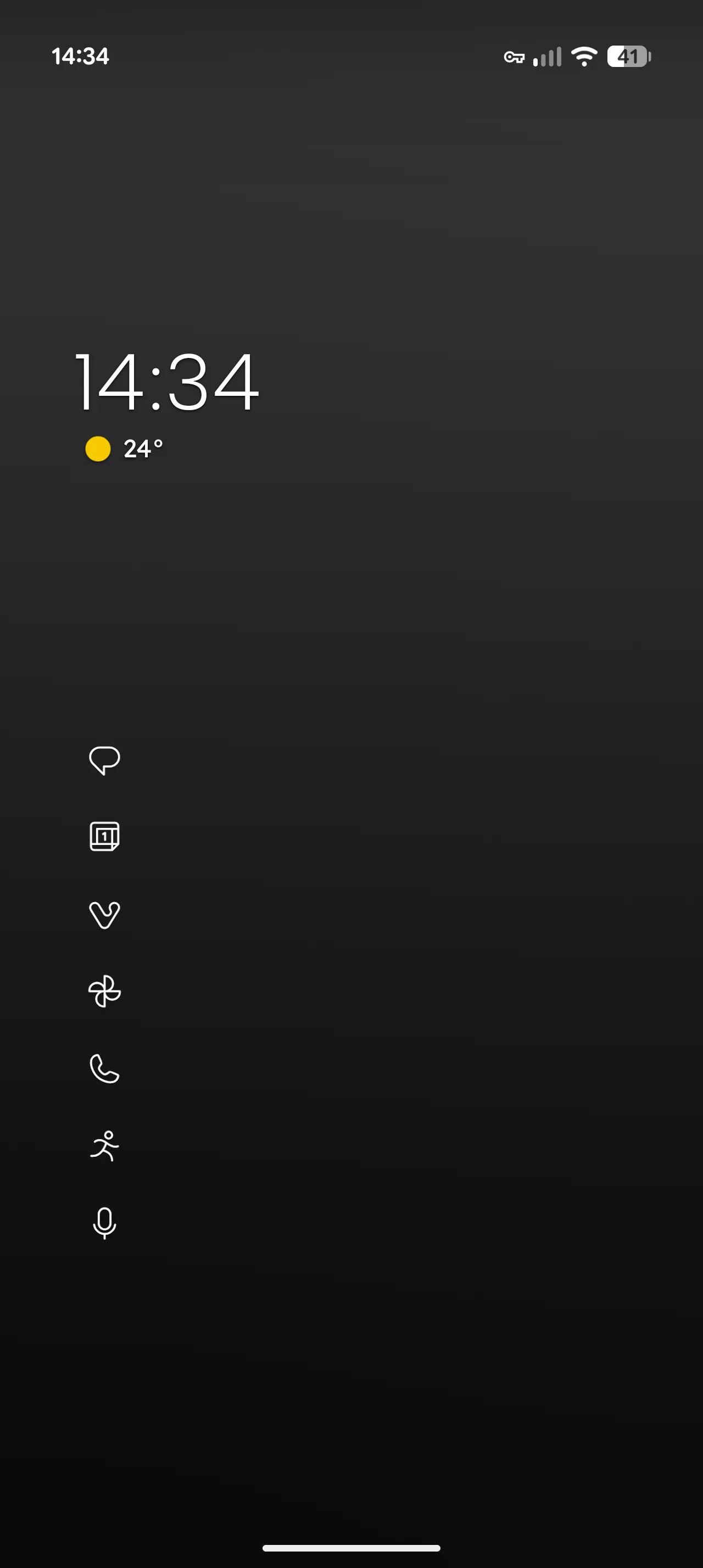
Very little, on purpose. My home screen shows the time, the weather and seven apps as small monochrome icons, without names. Nothing on the screen asks to be tapped, and it is fast.
Every other app sits behind the alphabet along the right edge of the screen, and that is the part I use most. I suspect it is also where the name comes from. You swipe to the right letter, the apps under it slide into view, and you tap the icon. After a while you find apps by muscle memory: one swipe to the letter, one tap on the icon.
Swiping right on an app or a folder shows its shortcuts, which is useful too.
Search is one swipe up from the home screen. I mostly use what is built in: I look up contacts there and type arithmetic straight into the field, the way I use Raycast on the Mac now and Alfred before it.
Search can be extended with Sesame, a separate app that adds shortcuts and web results. I have it installed, it still works, and it is not essential to me. In June 2024 Niagara announced that it plans to remove the integration, because Sesame has not been developed since it was sold in 2022.
The icons on my home screen come from a minimalist icon pack. Niagara takes icon packs from other developers, and since its Studio update it also has themes that bundle fonts, wallpapers and colors. People share their themes with each other; importing one needs Pro.
Where it fails
Gestures, or rather the ones I would want. Niagara has a few fixed ones: swipe up for search, swipe down for notifications, and with Pro a double tap on the alphabet to lock the screen. The Niagara button opens an app with a tap and, with Pro, a second action with a swipe up. That works, I just do not use it. What I miss is assigning gestures on the home screen itself, such as a tap followed by a swipe up. After nine months that still bothers me. There is a feature request for more gestures on the Niagara button, marked “In Review” at the time of writing.
Who should skip it
Anyone who likes to see all their apps on the screen at once. Niagara is built around the opposite.
On an iPhone the question does not come up, because iOS does not let you replace the home screen.
And if you are still on Nova Launcher: its founder and last developer left the company that owns it in September 2025 and was asked to stop working on it, including a planned open-source release. The app is still in the Play Store. Who, if anyone, will keep it working has not been said.
If a tool outlived mine, or I got something wrong, write to the address in the legal notice.